Free vs. Paid VPNs: How to Tell Which One You Need
A free VPN can be enough for a short, occasional task. If you depend on a connection for remote work, switch devices often, or cannot afford interruptions, the specific plan and how it performs matter more. A price tag can tell you whether you will be billed. It cannot establish what the provider collects or how well the service will work on your network. Start with one task you need to complete, then use it to compare your options.
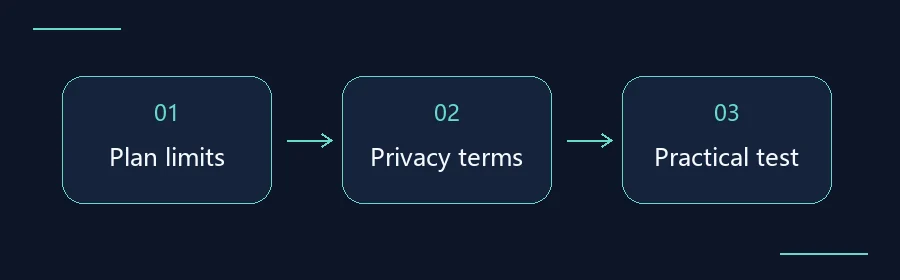
Compare free VPN limits, paid plans and free trials
Check the free plan for data caps and limits on locations or devices, then test the task you use most. For a free trial, check its end date, renewal terms and how to cancel. A paid plan may be worth considering if you regularly hit the free cap, need a location the free plan lacks or need support.
Related guide: How to Use a VPN Free Trial Without Surprise Charges
Work out what “free” means
An ongoing free tier does not usually require recurring payment, though it may limit data, available locations, or simultaneous connections. A time-limited trial ends on a particular date and may require a payment method. Some trials roll into a paid subscription unless you cancel. With a money-back guarantee, you usually pay first and then ask for a refund under the stated terms. An app marked “free to download” can still require a paid account to connect.
Look for the provider’s plan page and cancellation instructions. Note the price you would pay today, what happens at the end of the trial, who bills you, and whether you must cancel yourself. If a provider leaves any of that unclear, wait before entering payment details. For purchases billed by an app store, verify the offer in that store’s subscription settings.
Translate the sales page into questions you can answer
Suppose you need to take a 30-minute call on a laptop while checking mail on your phone. First, confirm there is a maintained client for both devices. Next, find out whether both can connect at the same time. A plan that supports several platforms may still allow only one active connection. Record data allowances, device slots, server locations and which features belong to which tier as separate items.
To decide whether a data cap matters, think about your busiest ordinary day. A video call, a large sync, and reading a few pages use different amounts of data. Your device’s network usage history can help you estimate how much a similar task takes. A benchmark from a review site cannot tell you whether the free tier will cover your working day.
| Check | What to verify on either tier |
|---|---|
| Usability | Data reset date, available locations, simultaneous connections |
| Privacy | Provider identity, types of records, retention and sharing |
| Ongoing cost | Recovery options, renewal price, cancellation channel |
Read the privacy terms before you connect
Check the publisher named on the store listing or official site. Look for the company behind the app, what it collects, how long it keeps the information, who it shares it with and whether you can request deletion. Read statements about connection activity, account details and billing information separately. A promise about browsing history leaves open questions about device identifiers, connection timestamps or diagnostic records. Check whether the policy covers the free tier and the paid tier on the same terms.
If an app asks for access that seems unrelated to its job, look for the developer’s explanation. Pause if it wants device management privileges, an unfamiliar root certificate or changes to system protections. Ask the publisher or your organization’s IT team to explain the requirement. If you see an independent audit, check its date, the version or systems it covered, and the questions the auditors were asked to answer.
Run one real task in 20 minutes
Spend the first five minutes on a network you trust. Without sending sensitive information, note whether your chosen page or app works with the VPN disconnected. Then enable the VPN and repeat the same task on the same device and network for ten minutes. Track repeat failures, call interruptions, and whether the connection recovers on its own. If you normally work on your phone, use the final five minutes to see what happens after a normal screen lock or a switch between familiar networks.
If you can try both plans, run only one VPN at a time and keep the device, time of day and task as similar as you can. A blank result means you did not test it; a failure means you saw a specific problem. If the results are inconsistent, repeat on another comparable day. Save consequential meetings, financial activity and first-time sign-ins on sensitive accounts for after the test.
Pay for a limitation you can identify
If the free tier passes your essential task, comes from a source you trust, and has terms and limits you can live with, you have a reason to keep using it. If you repeatedly hit a specific limit, such as needing two active devices when the free tier only allows one, confirm that the paid tier solves that problem. Before upgrading, write down the first charge, the renewal amount, and your cancellation deadline. A higher tier does not fix an unclear privacy policy.
Use the related Plain VPN guides below to compare billing periods, verify a download source, or make a fair connection speed comparison on your own devices.